Skip to content
If you love fresh coffee, using your Krups coffee grinder the right way is the key to unlocking amazing flavor every time. But maybe you’ve just unboxed your grinder and aren’t sure where to start.
Or perhaps you want to make sure you’re getting the perfect grind for your brew. This guide will walk you through simple, clear steps to use your Krups coffee grinder like a pro. You’ll learn how to set it up, choose the right grind size, and keep it clean for the best results.
Stick with me, and soon you’ll be enjoying coffee that tastes just the way you want—fresh, rich, and full of aroma. Let’s get grinding!
You May Like
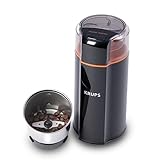
- Whisper-Quiet Operation: Experience 5x quieter grinding with KRUPS patented…
- Versatile Grinding: This 3-in-1 electric grinder effortlessly handles…
- Precision Grinding: Vortex Spin technology and oval design ensure…
- Easy Cleaning: Featuring a removable, dishwasher-safe stainless steel…

- 12 CUSTOM SETTINGS: The adjustable coffee grinder allows you to choose from…
- MESS-FREE OPERATION: The espresso grinder has a removable top burr and…
- METAL BURR FOR CONSISTENT GRINDING: Premium construction with flat metallic…
- FLEXIBLE CAPACITY FOR 2-12 CUPS: Automatically stops when the selected…
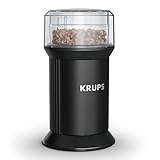
- EASY TO USE: A coffee grinder made for total convenience, with a…
- POWERFUL BLADES: Exceptional performance with high-quality stainless steel…
- CUSTOM GRINDING: Simply press and hold the lid to grind, then release when…
- VERSATILE GRINDING: Use your grinder for a variety of ingredients, such as…

- 𝐖𝐡𝐢𝐬𝐩𝐞𝐫-𝐐𝐮𝐢𝐞𝐭: Krups Silent Vortex…
- 𝐌𝐞𝐬𝐬-𝐅𝐫𝐞𝐞: The ideal coffee grinder for home use….
- 𝐘𝐨𝐮𝐫 𝐏𝐞𝐫𝐟𝐞𝐜𝐭 𝐁𝐫𝐞𝐰: Vortex Spin…
- 𝐁𝐞𝐲𝐨𝐧𝐝 𝐂𝐨𝐟𝐟𝐞𝐞: This versatile quiet…
Setting Up Your Grinder
Setting up your Krups coffee grinder correctly is key for fresh, tasty coffee. Take a few simple steps before grinding. This ensures safety and perfect coffee grounds every time.
Start with a clean surface and dry hands. Make sure the grinder parts are assembled as shown in the manual. Now, you are ready to prepare your grinder.
Plugging In Safely
Always plug your grinder into a grounded outlet. Check the power socket for damage or loose wiring. Avoid using extension cords for safety reasons. Make sure your hands are dry before plugging in. Never plug the grinder near water sources. This prevents electric shock and protects your appliance.
Adding Coffee Beans
Open the grinder lid gently to avoid spills. Pour fresh coffee beans into the hopper. Do not overfill; follow the maximum fill line inside. Overfilling can cause jamming or uneven grinding. Close the lid firmly to activate the safety lock. This ensures the grinder will only run when securely closed.
Selecting Grind Size
Your Krups grinder offers different grind settings. Choose a coarse grind for French press or cold brew. Select a medium grind for drip coffee makers. Use a fine grind for espresso machines. Turn the grind selector dial to your preferred setting. Adjust gradually to find the best taste for your coffee style.
Operating The Grinder
Operating the Krups coffee grinder is simple and efficient. This section guides you step-by-step to grind your coffee beans just right. Proper operation ensures fresh, consistent coffee grounds every time.
Choosing Coffee Amount
First, decide how much coffee you want to grind. The Krups grinder usually has markings or settings for different amounts. Use these to measure the beans precisely. Avoid overfilling the hopper to prevent uneven grinding.
Measuring the right amount helps maintain flavor balance. It also prevents waste and keeps the grinder working smoothly.
Starting The Grinding Process
After filling the hopper, close the lid securely. Most models have a safety lock that stops the grinder if the lid is open. Plug the grinder into a power source.
Press the start button to begin grinding. The machine will operate until the beans reach the chosen amount or the timer ends. Always stay nearby to monitor the process.
Using Built-in Timers
Many Krups grinders include built-in timers for automatic grinding. Set the timer according to how fine or coarse you want your coffee grounds. Timers help control the grind duration precisely.
Adjust the timer for different coffee types or brewing methods. This feature makes grinding easy and consistent without guesswork.
Cleaning And Maintenance
Proper cleaning and maintenance keep your Krups coffee grinder working well. Regular care improves grind quality and extends the grinder’s life. Dirt, oils, and leftover grounds can build up inside. Remove these to avoid bad tastes and machine jams. Follow simple steps to clean your grinder safely and easily.
Removing Beans And Grounds
Unplug the grinder before cleaning. Take out any beans from the hopper. Empty the grounds container completely. Tap out loose grounds gently. Use a small brush to sweep away stuck coffee bits. Removing all beans and grounds prevents residue buildup. Clean parts dry before reassembling.
Cleaning Burrs And Blades
Remove burrs or blades carefully as per your model’s instructions. Use a soft brush to clean burr surfaces and blades. Avoid water on electrical parts. Wipe with a dry cloth to remove oils and fine grounds. For stubborn residue, use a damp cloth then dry immediately. Clean burrs and blades regularly for consistent grinding.
Preventing Blockages
Blockages happen from old, packed coffee grounds. Clear the grinding chamber and chute with a brush each time. Check that burrs or blades turn freely by hand. Avoid grinding oily or flavored beans frequently. Run the grinder empty occasionally to clear dust. Prevent blockages for smooth operation and better coffee taste.
Credit: www.krups.co.uk
Troubleshooting Common Issues
Troubleshooting your Krups coffee grinder helps keep it working smoothly. Problems often occur from simple causes. Fixing these quickly saves time and frustration. Follow easy steps to identify and solve common issues.
Checking Power And Safety Locks
Start by making sure the grinder is plugged in firmly. Test the outlet with another device to confirm power. Check the lid; it must be securely locked. Many Krups models won’t run if the lid is open. For grinders with a grounds holder, ensure it is fully inserted. Safety locks prevent the grinder from starting if parts are loose.
Fixing Jams And Motor Humming
Unplug the grinder before cleaning. Empty the bean hopper to avoid spills. Use a small brush to clear old coffee grounds from the chamber and chute. Packed grounds cause jams and stop blades from turning. Try spinning the blades or burrs by hand to free them. If the motor hums but does not grind, a blockage or motor issue could be the cause.
Dealing With Overheating
Overheating happens if the grinder runs too long or is jammed. Turn off and unplug the grinder immediately. Let it cool for 20 to 30 minutes before using again. Clean the grinder thoroughly to remove blockages. Avoid grinding large amounts of beans continuously. Shorter grinding bursts help prevent overheating and extend motor life.
Replacing Parts
Replacing parts in your Krups coffee grinder keeps it working well and extends its life. Over time, parts like burrs or blades wear down. This affects grind quality and the taste of your coffee. Knowing when and how to replace these parts helps maintain great coffee flavor. Follow simple steps to find and replace components safely and correctly.
When To Replace Burrs Or Blades
Burrs and blades wear out with use. If grinding takes longer or feels uneven, it may be time to replace them. Dull burrs produce inconsistent grounds. Blades that are chipped or bent reduce grind quality. Check your grinder every few months if you use it daily. Replace parts if you notice a drop in performance or hear unusual noises.
Finding Replacement Components
Use only original parts from Krups for best fit and safety. Visit the official Krups website or authorized dealers to buy replacements. Make sure the parts match your grinder model number. Avoid cheap, generic parts that may damage your grinder. Keep your grinder’s manual handy to identify part numbers and installation instructions. Proper replacement parts ensure your grinder works smoothly again.
Credit: www.krupsusa.com
Getting Help
Getting help with your Krups coffee grinder is important if you face any issues. Knowing where to find support and resources saves time. It ensures your grinder works well for a long time. Below are ways to get assistance quickly and easily.
Contacting Krups Support
Krups offers customer service for all grinder models. You can call their support line for direct help. Explain your problem clearly to get precise advice. Support staff can guide you through troubleshooting steps. They also help with warranty claims and repairs.
Using email is another way to contact Krups. Write your question and include the model number. Attach photos if needed to show the issue. This helps the team understand and respond accurately. Keep your purchase details ready for faster service.
Using Online Repair Resources
Krups website has many useful guides and FAQs. These resources show how to fix common problems yourself. Find user manuals that explain each part of your grinder. Step-by-step instructions make cleaning and maintenance easy.
YouTube also has videos demonstrating repairs and care tips. Watching these can help you avoid mistakes. Forums and review sites share user experiences and solutions. Reading others’ stories often gives quick answers.
Frequently Asked Questions
How To Start A Krups Coffee Grinder?
Plug in the Krups grinder. Add coffee beans to the hopper. Select grind size and amount. Close the lid securely. Press the start button to begin grinding.
Why Isn’t My Krups Coffee Grinder Working?
Check the power supply and ensure the lid and grounds holder are properly locked. Clean the grinding chamber and chute to remove blockages. Free the blades or burrs if jammed. Avoid overfilling beans. If it hums without grinding, the motor may need repair or replacement.
How Do You Use A Coffee Grinder Step By Step?
Plug in the grinder. Add coffee beans to the hopper. Choose grind size if available. Select desired coffee amount. Press the start button. Wait until grinding finishes. Remove ground coffee for brewing. Clean grinder regularly for best performance.
How To Grind Coffee Beans Krups?
Fill the hopper with coffee beans. Choose your desired grind size. Press the start button to begin grinding. Clean the burrs regularly for best performance.
Conclusion
Using a Krups coffee grinder is simple and quick. Always measure the right amount of beans for best taste. Choose the grind size that fits your brewing method. Keep the grinder clean to avoid jams and maintain flavor. Regular cleaning helps the grinder work smoothly longer.
Enjoy fresh, tasty coffee every morning with ease. Small steps make a big difference in your coffee routine. Keep practicing, and soon it will feel natural. Your perfect cup starts with well-ground coffee.